2015年8月24日星期一

Insider Tips to Save Your Water-damaged Device


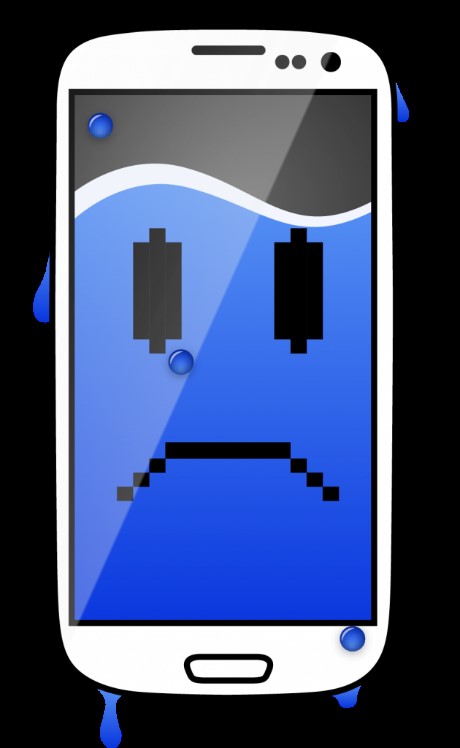
Your iPhone, iPad, Galaxy or LG phones got water-damaged? No worries, you’re certainly not alone. Water damage happens all the time to smartphones or tablets around the world. And we’re inundated with million of tips and tricks to save a water-damaged device.
So, what will you do to save your device if it gets water-damaged after dropping it into a toilet, swimming in the sea or taking a shower? Will you power it on right away to see if it still alive? Will you dry it up with any available heating home appliance like a hair drier, heat gun or microwave? Or will you just bury it in a bowl of uncooked rice for 24 hours?
Hey, please, you might ruin your device more by performing the above well-known tips. Why? Let’s hear what professional repair technicians say on what should be avoided and how to save a water-damaged devices properly.
WHAT NOT TO DO?
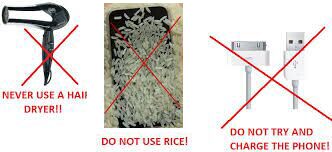
1. Do not turn on or charge your cellphone!
Turing on or charging a water-damaged cellphone will cause a short circuit in the motherboard, which will result in irreversible damage to the device. A short circuit is anything that allows electrical current to travel along a path that was not originally intended.
When your phone gets water-damaged, the moisture get in the way where the current goes. Since water is conductive the electrical current will always choose to travel faster with less resistance to finish the journey from the positive terminal to the negative terminal. As a result, the current never reaches its intended destination and then the circuit is shorted.
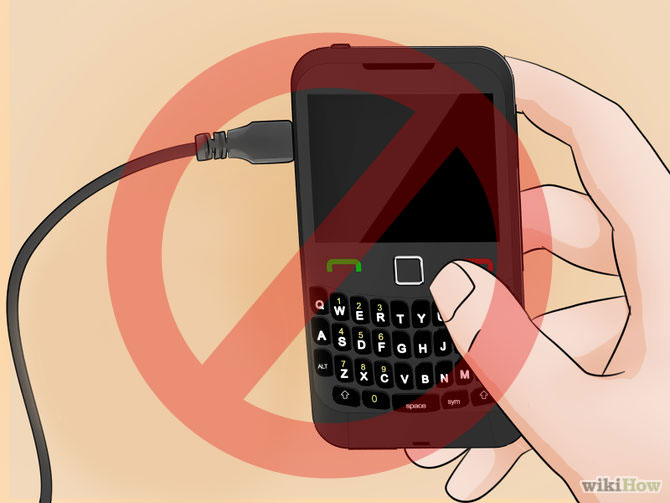
You can read more here: UBREAKIFIX.

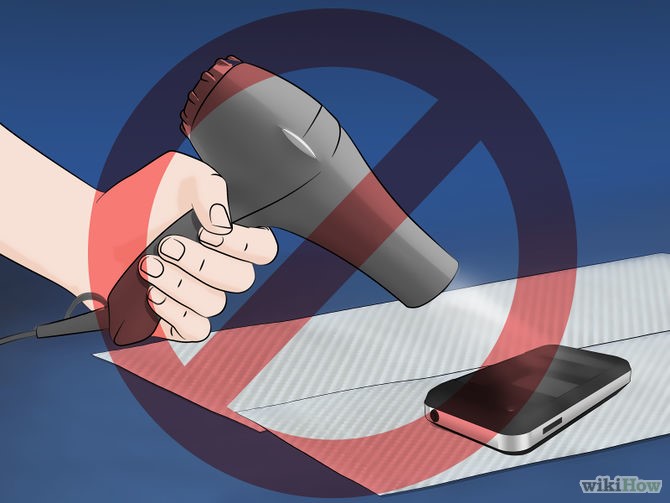
2. Do not use a heat gun or hair drier to dry it!
As quoted from CNET, to dry out a water-damaged phone with a hair drier is a purported fast-track method and used by many people. However, the hair drier cannot evaporate moisture sitting inside the handset. If your phone is suffering from severe water damage, the steam created when using a heat gun or blow dryer may not be able to fully ventilate and would simply condense again elsewhere in the phone.
Moreover, even though you’re blow-drying the water-damaged device with low temperature heat, the accumulating heat will soften the adhesive inside, or even damage the battery, risking an explosion.
Do not dry it off by setting the device under direct sunlight for the same reasons mentioned above.
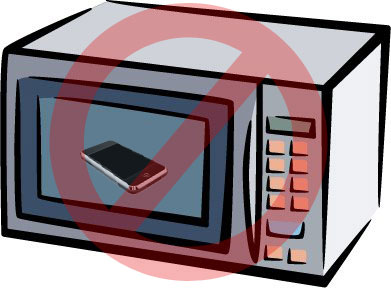
3. Do not dry it in a microwave or an oven!
Why would people choose to dry out a water-damaged device with a microwave or an oven? That is really ridiculous and dangerous. Do not ever put your phone into a microwave or an oven unless you want to see what it’s like when the battery explodes.
4. Do not put it in a bag of rice!
It’s an urban myth of burying a water damaged devices into uncooked rice. Theoretically it makes sense, however, rice has a low capacity for atmospheric absorption, with the rice only being able to absorb what it directly touching, and not doing anything for the water inside. Some of the grains of rice will also get into the openings of your device, and possibly get stuck after getting wet. This can really damage the phone with time.
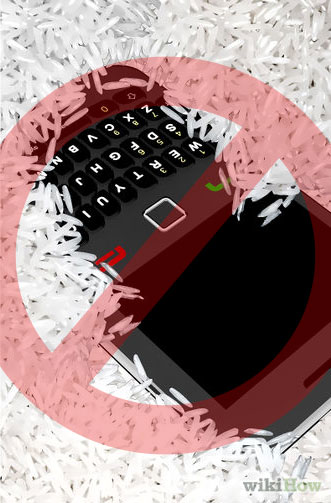
Check it out for the test result of rice trick.

Did we just destroy your last hope? Come on, there’re still some immediate remedies you can do. Read more below.
WHAT TO DO?
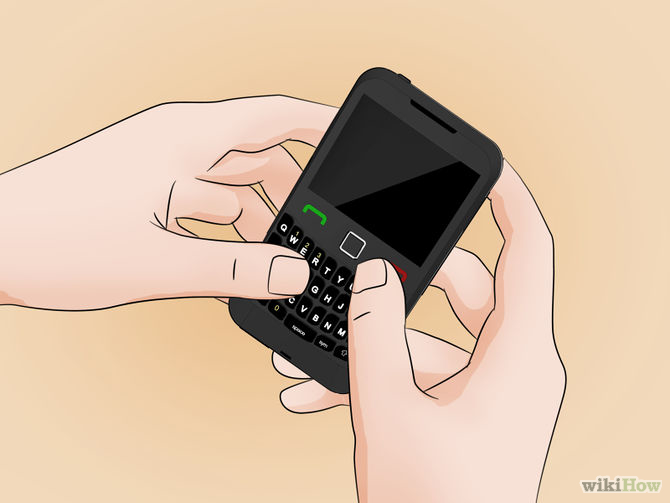
1. Do power it off as soon as possible!
It doesn’t matter whether you power your water-damaged phone off by normal shutdown by pressing the power button or force shutdown by removing the battery. Just power it off.
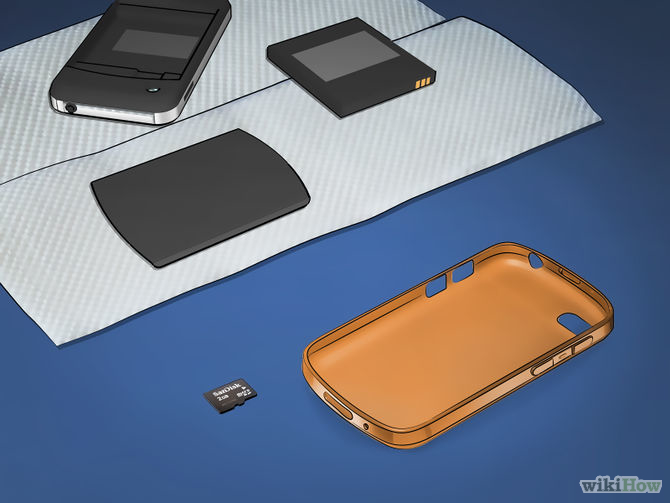
2. Remove any removable parts!
Remove the protective case, battery door, battery, SIM card, SD card, card cap(s), USB port cap. The screen protector doesn’t have to be peeled off if the phone is not severely waterlogged.
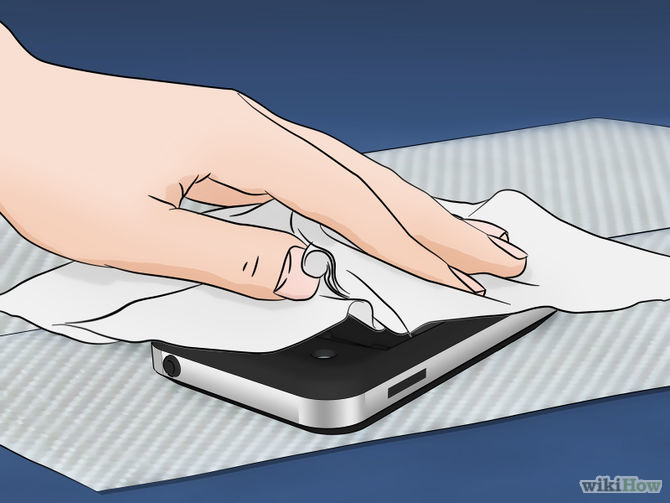
3. Dry the device and dismantled parts with a towel or tissues!
Remove any liquid from the surface with the help of a soft towel or a couple of tissues. Do not shake the device during this process as it might cause a short circuit for the reasons stated previously.
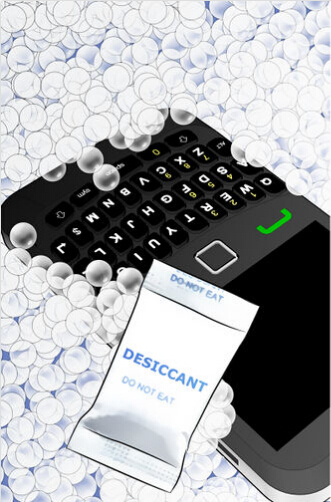
4. Put it in a bag of silica gel with the screen face up!
Always be sure to put the screen face up, it can reduce the risk of further damage to internal parts during the whole recovery process. Also, be sure to place it somewhere well ventilated (or drafty), but not out under direct sunlight. This will help the water evaporate much quicker.
All of these tips are feasible and easy for everyone. However, there’s more a trained professional can do.
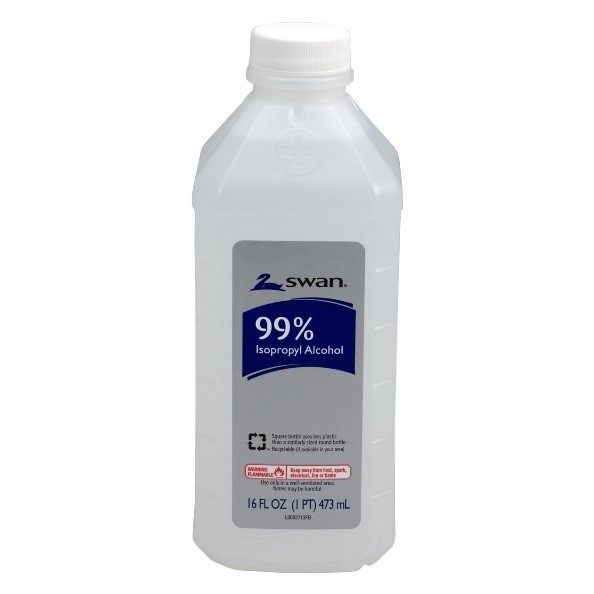
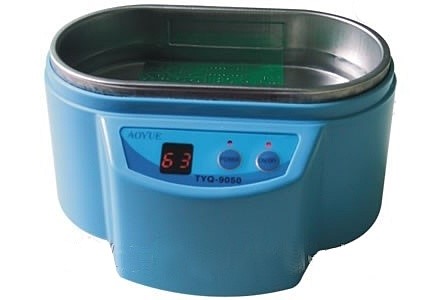
1. Bathing it with isopropyl alcohol in an ultrasonic cleaner.
Isopropyl alcohol is 99% alcohol; it’s non-conductive and evaporates extremely fast. Submerging your water-damaged device into a container of isopropyl alcohol can prevent any shorts from happening. The alcohol gets into all the crevices in your phone to give it a good cleaning, and essentially washes away all the water.
However, using an ultrasonic cleaner rather than an ordinary container, the cleaning work becomes more thorough.
2. Restore it back to work.
2. Restoring the device.
Drowning the water-damaged phone into a bath of isopropyl alcohol helps to clean away corrosion or dirt. Further detective work is required to determine if any of the part are damaged and in need of replacing.
▪  Tear down the phone to check if for any physical damage. Carefully check every part esp. the connectors and PCB boards.
▪  Reassemble the phone to see if it can be powered on or not.
▪  Check to see if the display and touchscreen work as expected.
▪  Check to see if the home button, navigation and side buttons still function.
▪  Make a test call, play music, watch videos to see if the speakers work normally.
Type to test if the keyboard or IME works.
Check this water-damaged iPhone 6 rescue video from TechMD for more details

If you’d prefer to send your water-damaged device to the Apple Center or any third-party repair shop for examination or repair, the following tips you might want to pay attention to.
1. 5 Tips before sending your phone in for repair.
An excellent member of our community shared his wonderful ideas on what should be checked out before sending your device for a repair from a tech geek’s view. 
▪  Back up your data and erase any account information.
Back up your contacts onto your SIM card, and back up your personal files, photos and videos onto your computer or a hard drive. Then erase all your account information especially your credit card accounts and passwords (whether they are on your browser or an app). Ignore and skip this step if you want to be one of the thousands of people who fall prey to privacy invasions and identify theft every day.
▪  Remove cards.
Remove your cards, whether it’s a SIM card or an SD card. For the same reasons stated above.
▪  Put a mark.
Put a mark somewhere on your device so (that only you know of) to protect yourself from getting a swap.
▪  Charge it fully or send along the charger.
Charge your device all the way, or send the charger along (unless otherwise stated) especially if your phone is experiencing battery or charging issues.
▪  Check the price.
Check the price of related hardware (like an iPhone 6 screen) online to ensure you’re not getting cheated.



2. Warranty.
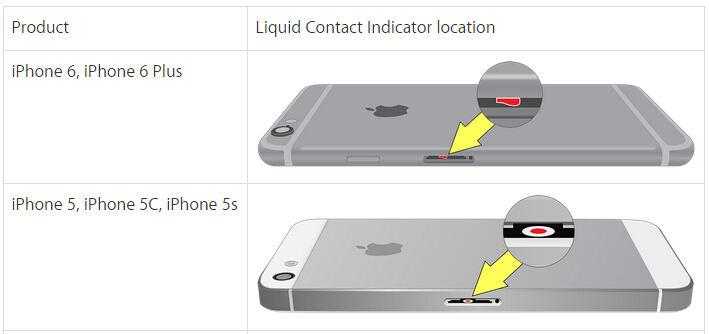
Check your LCI (Liquid Contact Indicator) sticker first, if it’s white or silver then congratulations that’s the original color; which means your water-damaged phone is still under warranty. Contacting your local authorized repair center to file a warranty claim is the best choice. However, if the sticker has turned pink or red, your warranty is voided.
The LCI position differs in different devices, you can check for the location on the related official websites. Let’s take the iPhone 6 as an example, you can find the iPhone 6 LCI position on the Apple Support page.

Why Should I Charge My iPhone Every Day


We've all been there, scrambling to find your iPhone charger and an outlet to plug in. Even when the battery is at 30% we are already concerned about getting it charged, but you may start thinking why charge now? Isn't it better to drain the battery, and charge it then? You'd rather not hangout by the outlet while you wait for your phone to charge, but in this case you're wrong. Sitting by the wall won't kill you, but it will help your iPhone battery live longer, while waiting till the battery is empty will reduce the battery's life.


Not Charging & Under Voltage:

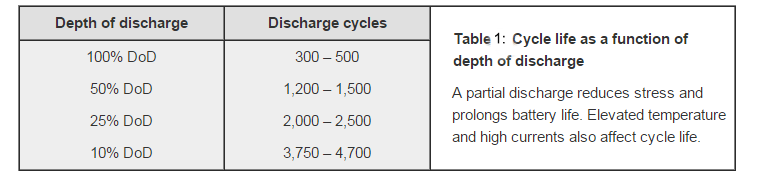
Battery experts say that Lithium-ion batteries do not need to be fully charged; a partial charge is better. Manufacturers use Lithium-ion batteries as the power source for cellphones, that's because Li-on batteries have higher power density and lower discharging levels than the former generations of batteries. Moreover, it won't build up a memory based upon charge condition like a Ni-Cd battery will, in fact, it won't because of its material. But some people still stick to the tradition of charging the battery longer than it should be, and not recharging the phone until the battery runs out. They claim that it will help fully activate the battery. What a shame! It made sense a long time ago as older cellphone batteries were often NiCad, but it's not the same for a Li-on battery. Overcharging a Li-on battery may not damage it if the protection circuit in the battery works, but your actually damaging your battery if you allow it to completely discharged before you have a chance to plug it in. A Battery's cycle life is pretty directly related to the depth of discharge. A partial discharge reduces stress and prolongs the battery's life. If you use up your phone battery on videos and games immediately after fully charging it, the battery will be put under a lot of stress and the cycle life will be affected.


When batteries are discharged deeply, the voltage inside the battery will decrease and may trigger the protection circuit to switch the battery to sleep mode. This will prevent you from being able to charge or use your battery unless a repair shop re-activates it with some professional equipment, or you buy a new battery. So it is better to charge your phone as often as possible when the battery life decreases. It won't damage the phone battery but actually help to fully activate it.


Capacity Deficiency:

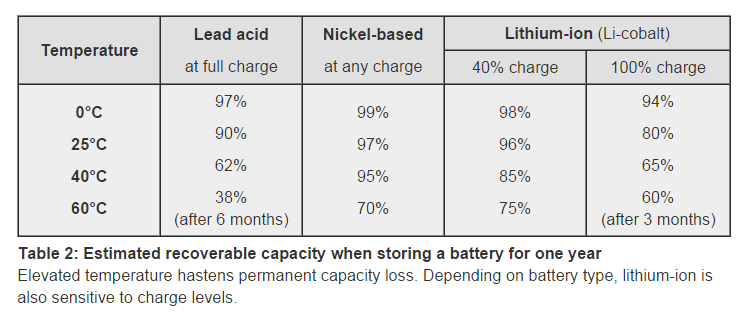
According to Cadex's lab data, elevated temperatures hasten permanent capacity loss, and Li-on batteries are also sensitive to charge levels.
Battery capacity is the most important indicator of battery health. If you find the battery can't hold a charge as it should, the battery probably won't last much longer. Using your phone at high temperature conditions will result in a battery capacity deficiency. That will also reduce the battery's running time.

Bulge & Over Heat

Sometimes, we may come across bulging and over heating on a battery. Obviously, the batteries get worn out quicker. If a battery over heats it may cause a chemical reaction that causes bulging in the battery. You should pay close attention to prevent overcharging, and make sure to only get real OEM batteries for your phone.

Here we show you some tips to help you keep your battery to prolong its life:

1. It is better to charge your phone while it is powered off. This is because it may help lower the voltage inside the battery, which will help it work better.
2. Don't charge your phone in high temperature conditions. Whether the phone is hot or just the ambient temperature is.
3. It is better to charge your phone several times through out the day. Lithium-ion does not need to be fully charged; a partial charge is better.
4. Don't try to fully charge your battery every time. It may reduce your phone's battery cycle life.
5. Discontinue using the charger and/or battery if the battery gets excessively warm.
6. Apply some charge to an empty battery before storage. 40% is the ideal charge for storage.

Next time we'll show you guys how to test the battery, and give you some market info about iPhone batteries. If you have any questions or good ideas to share with the repair community, please feel free to contact us at service@etradesupply.com or find us on Facebook. 

2015年8月9日星期日

What You Should Know Before Cellphone Repair – Part 1


What would you do if your smartphone gets cracked, water damaged, fails to charge or has some other problems? Will you contact the local shop where you bought the phone, send it to a repair shop, or will you simply buy some replacement parts to repair it by yourself? Whichever method you choose, backing up your data on a computer first and then removing all the account information is a must. This will prevent your data from being compromised during the repair. There are definitely more things you should know before getting your phone fixed, especially if your doing it yourself. 
Let’s check them out:

1. What’s the difference between LCD, digitizer and glass?
Simply speaking, the LCD (Liquid Crystal Display) in a cellphone is the screen to display images. If your cellphone goes black/blank, colors display oddly or shows zebra lines then the LCD is probably damaged. The Digitizer, also known as the touchscreen, is a screen panel designed to execute commands where your fingers touch the screen. If your cellphone doesn’t respond at all or has ghost touches then a faulty digitizer might be the culprit. As for the glass, it’s an outer layer stacked on top of the digitizer and LCD, and it is only for protection. In most cracked screen cases, the glass maybe destroyed but the device is still useable.

2. Why do repair shops usually cost 5~10 times the price of a glass replacement for a glass only broken device?
For technical reasons, the glass, digitizer and LCD display of a cellphone are fused together with very strong adhesive into one piece, and are extremely hard to separate. If the glass gets broken, we advise replacing the whole LCD assembly as it is much easier and nowhere near as risky. To reiterate we strongly recommended that individual users replace the whole assembly rather than just the glass even though it costs more. Even though it is very hard to do that doesn’t mean that it’s impossible to remove the glass from the LCD, that’s whyglass replacements can be sold separately. With special tools and a lot of skill/experience, the glass can be removed. You can watch our video on how to separate the glass on Samsung’s Galaxy S and the Note series devices.


3. Does putting a water damaged phone into a bag of rice help?
The proverbial trick to saving a water damaged device, a bowl of rice. Does it really work? Some may say I’m an idiot, but, unfortunately, the truth is that the rice trick does little to help dry a water damaged phone.
Theoretically it makes sense, however, rice has a low capacity for atmospheric absorption, with the rice only being able to absorb what it directly touching, and not doing anything for the water inside. Some of the grains of rice will also get into the openings of your device, and possibly get stuck after getting wet. This can really damage the phone with time.


When your iPhone or Samsung devices gets wet you should immediately power it off, and then dry it off with a clean and dry towel. Here are some things you should also keep in mind:
1. DO NOT TURN ON OR CHARGE THE DEVICE.
It will cause a short circuit in the motherboard causing irreversible damage.
2. DO NOT USE A HEAT GUN OR HAIR DRIER TO DRY IT.
The high temperature will soften the adhesive inside, or even damage the battery, risking an explosion.
3. DO NOT DRY IT IN A MICROWAVE.
This is really bad/stupid for many reasons, but mainly because you will most definitely cause the battery to explode.
We posted more tips to save a water damaged phone a few days ago, check it out: How to Save Your Water Damaged Phone

This is PART 1 of thinks to know before getting your cellphone repaired, we’ll explain more in PART 2, just stay tuned.

2015年8月4日星期二

iPhone 6S Battery Leaked

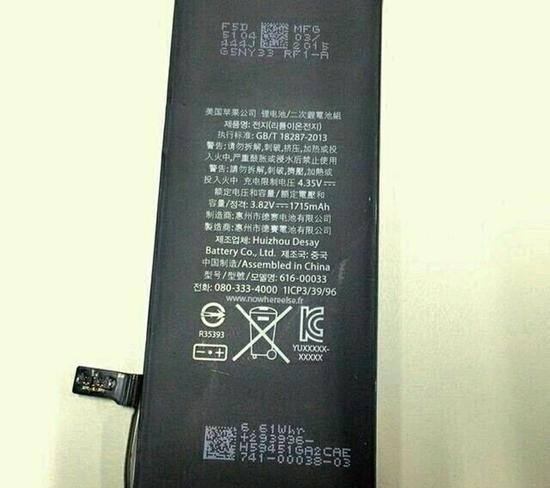
French Media Nowhereelse.fr released a picture the other day, which revealed the long-rumored iPhone 6S' battery. 
In the picture, the label on the battery shows that it really is an iPhone battery, designed by Apple and made in China. However, the battery has a paltry capacity of 1715mAh, while the current iPhone 6 has 1810mAh volume. It doesn't seem to be compatible with the iPhone 6, so, the question becomes whether the battery is designed for the new generation iPhone or not? But how come it only has 1715mAh capacity.
There are two possible explanations. First, some people think the new generation of iPhone won't consume power as quickly as the iPhone 6. In other words, some people believe Apple has optimized their new gadgets so actual use time should be the same as the iPhone 6. We theorize the new generations of iPhone are getting a smaller battery because Apple is trying to make them even thinner.
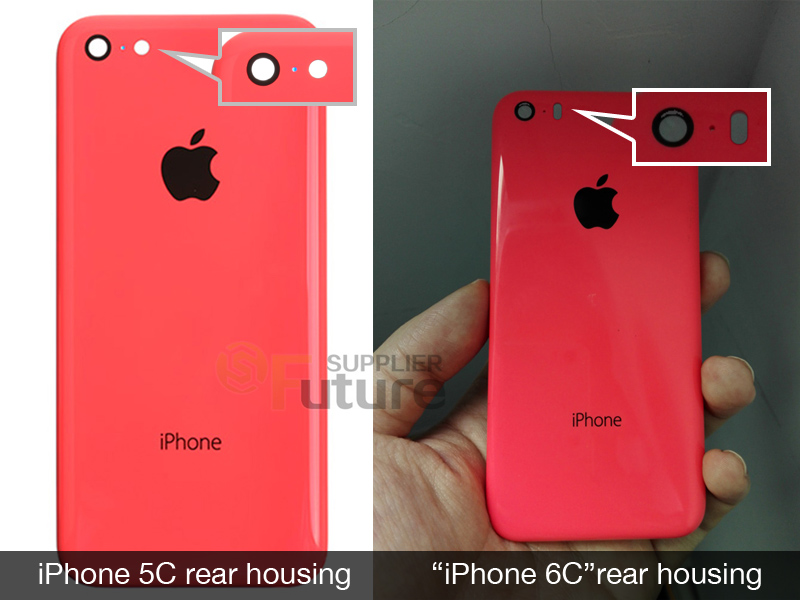
The Second possible explanation is that this battery was not designed for the iPhone 6S but the iPhone 6C instead, which sports a lower spec configuration and also has been rumored for a long time. There have also been some pictures leaked to show that Apple plans to roll out an iPhone 6C. Compared with the iPhone 6, the purported gadget is different in some places. According to the leaked info, we can reasonably believe if the iPhone 6C rolls out, its battery will be different from the iPhone 6.
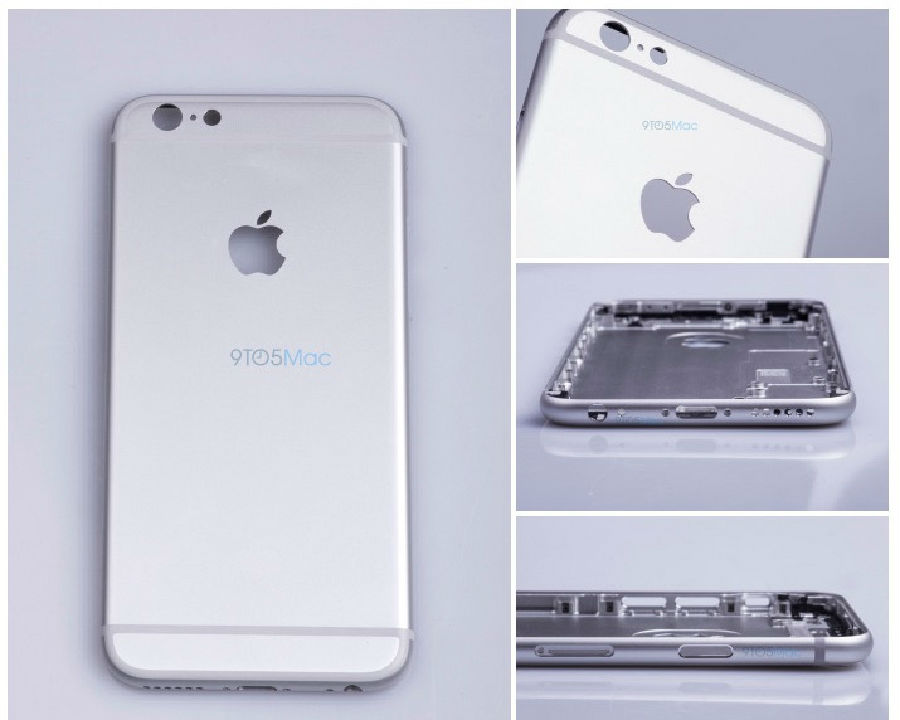
However, we won't know what is true until the new generation of iPhones come out. Some of Apple's suppliers have leaked pictures about the iPhone 6S, which looks almost exactly the same as the iPhone 6. Besides sporting the latest hardware and technology, the iPhone 6S will use harder material for its rear housing to avoid bending. One of the most eye-catching points is that force touch will be available on the new device, which will bring a totally different experience to the phone. But on the other hand, rumors have said that Apple has cancelled the release of the iPhone 6C because of the past performance of the iPhone 5C.

Anyways, the new generation of iPhones will start showing up in September. Follow us on Youtube Channel. We will bring you guys the first teardown of the gadget to show you what has been changed inside. Stay tuned and see.   

2015年8月2日星期日

Top 10 iPhone 6 Problems and Solutions


The launch of the new generation iPhone is upcoming, which means that the iPhone 6 and iPhone 6 Plus have been on sale for almost a year. Most of the common problems of a smartphone are sure to appear and be reported after one year of use. Today we’re going to summarize the top 10 problems and solutions for the iPhone 6. Here they are:

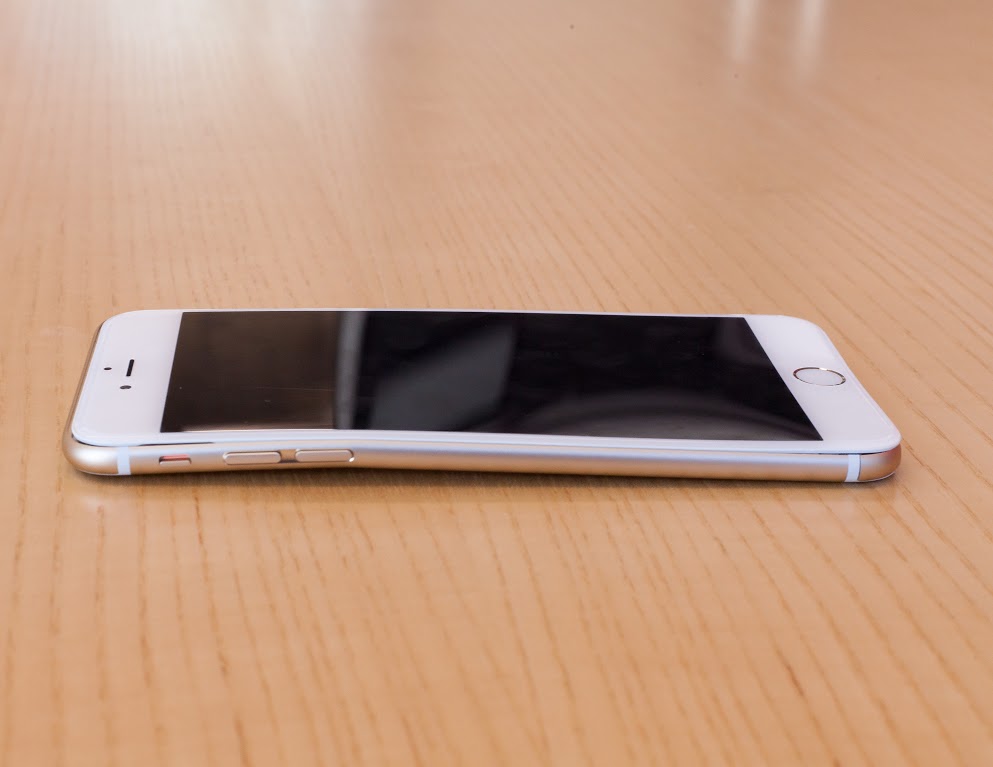
Top 1: Bent Housing
Well, it’s not any new news that Apple’s iPhone 6 had the whole “Bend Gate” fiasco not long after the device was released. Even though Apple claimed that it’s not a common problem and only a few users reported to experience it. However, this problem still exists among many iPhone 6 users. If you’re unfortunate enough to be one of them, take your device to an Apple Center for inspection to see if you can get a free replacement. Or you may buy an iPhone 6 housing replacement online for DIY repair if you’re familiar with taking apart and repairing the iPhone 6.

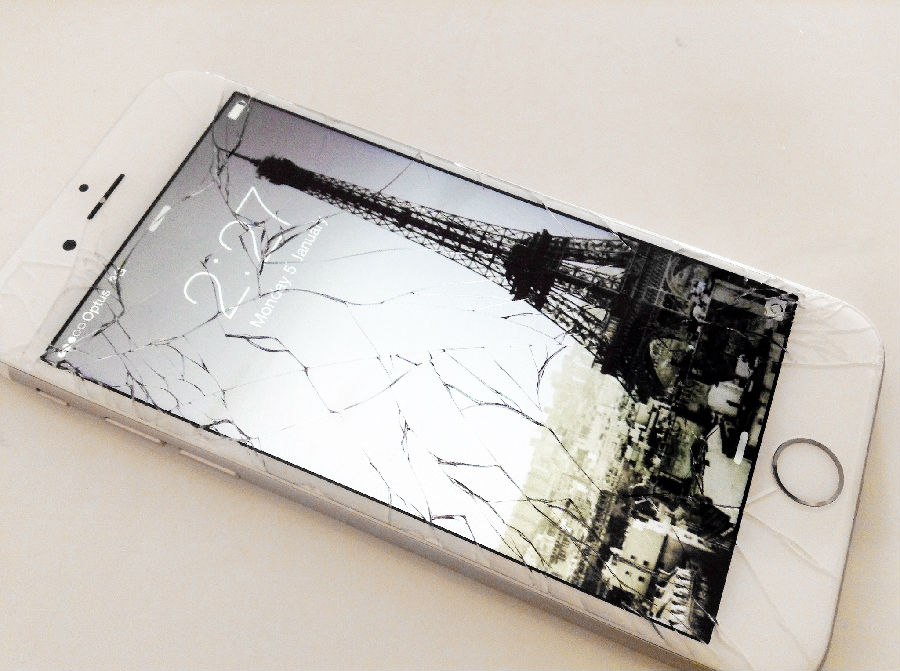
Top 2: Cracked Screen
A cracked screen is the most common issue for any smartphone, the iPhone 6 is no exception. Always having a protective case or tempered glass screen protector is an easy but helpful way to reduce the damage and pain you and your iPhone 6 will experience when dropped. Anyway, if your iPhone 6 screen is cracked, you can either send it to the Apple Center or a repair shop for replacement. It’ll cost less to buy an iPhone 6 screen replacement if you’re skilled at cellphone DIY repair.
Want to estimate how much it may cost? Check this post: The Cost Of Repairing A Broken iPhone 6 Screen

Top 3: Slow/no Wi-Fi
Wi-Fi problems like slow Wi-Fi or no Wi-Fi always annoy smartphone or tablet users. As for the solutions to the iPhone 6/6 Plus’ Wi-Fi problems, we have written an article to explain them fully and in detail, check it out: How To Fix Wi-Fi Problems on the iPhone 6/6 Plus.

Top 4: Slow/no Charging
Like the Wi-Fi problems, charging problems are another headache. Likewise, checking out this post How To Fix Slow Or Unable To Charge Problems can be of help. Also, check out our Calibrate Your Battery to Reinvigorate Your Phone guide before getting a replacement.

Top 5: Camera Problems
As what we’ve mentioned before, many users reported that their iPhone 6 or iPhone 6 Plus were experiencing camera problems like: black images or the camera locks up (closed lens) recently. For the solutions, check now: How To Fix iPhone 6/iPhone 6 Plus Camera Problems.

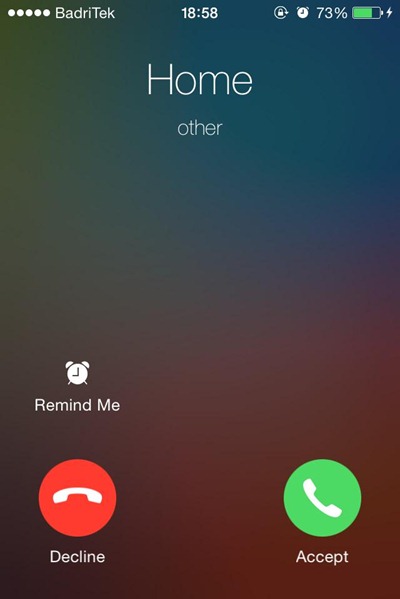
Top 6: Incoming Call Problems
Some users reported that their iPhone 6 displays doesn’t light up to show the pick up or dismiss options even though they can hear their phone ring or vibrate for an incoming call. It can be solved either by resetting or restoring the device. Make sure to back up all the data before doing this step.
However, some users claimed that they can’t hear the person on the other end during a call although the volume is turned up. In this case, first step is to ensure the ear speaker mesh cover is not covered by any dust. Then, check the earphone jack to make sure it’s not stuck with the earphone plug or debris. Some other possible solutions are: turning off the Bluetooth, turning off the Phone Noise Cancelation and resetting. If the problem still persists, perhaps you’ll have to turn to Apple Store or repair shop for help.

Top 7: No Touch ID
It seems to be a bug with iOS 8.0.1, while iOS 8.0.2 is updated to fix this bug. If there’s no Touch ID service on your iPhone 6, update your device to the latest version first.
If problem still persist, try to roll back to iOS 8.0. You’ll need to download the right IPSW file, here they are for the iPhone 6 and iPhone 6 Plus. Plug your iPhone 6 into your computer and back it up in iTunes. On Windows you need to hold down Shift and hit the Restore option, then choose the IPSW file you downloaded. On a Mac you should hold the Alt key and click Restore and then choose the IPSW file.
Tip: No Touch ID service will be available after you get an iPhone 6 home button replacement as the Touch ID sensor is uniquely tied to the logic board. If you want the function back, you’ll need to visit the Apple Center. If you’d like to know more information, check it here: Apple’s Touch ID and You.

Top 8: Keyboard Problems
Some users complained that they’re facing keyboard problems like: the top row of letters and the text prediction row are superimposed, some keys don’t respond, part of the text field is black etc. Resetting should always be done first when a problem occurs, besides keyboard problems can possibly be solved by the following tips:
Turn off the Raise to Listen by going to Settings > Messages.
Turn on the Button Shapes by going to Settings > General > Accessibility.
Turn on the Zoom by going to Settings > General > Accessibility.
Or you might use a third-party keyboard instead.

Top 9: SIM Card Problems
While some iPhone 6/6 Plus users complaint that they’re facing “Invalid SIM” or “No SIM card installed” glitches. Following these tips may be worth a try: turn off Airplane mode, restart your device or update to the latest system. Or you may change another SIM card before sending it in for repair.

Top 10: Overheating
Some users reported that their iPhone 6/6 Plus rear housing gets very hot. Since you risk burning yourself if the device is extremely hot, you need to contact the local Apple Center for the sake of safety.

2015年8月1日星期六

OnePlus 2 Announced: Features and Specs

It has taken the OnePlus team 461 days to design their new flagship. Will it be better than OnePlus One? Now it's time to see what they have brought for us. The most eye-catching features are fingerprint scanner, Type C USB and alter slider.


Fingerprint Scanner
OnePlus 2 sports a fingerprint scanner as expected, but the scanner is not round like iPhone's Touch ID, also it is not placed at the back like on the LG G3. In MKBHD's video, the scanner is super fast. According to the official data, it only takes 0.36s to scan and access the phone. What's more, Oneplus 2's fingerprint scanner isn't located on a physical button but its just a softkey with a rim around it. They stuck to their button free design.


Type-C USB 
Have you come across the situation where you connect you phone's USB to iMac or other devices to charge or transfer some files, you always seem to be attempting to plug in the wrong side. Now, with OnePlus 2's new Type C plug, you will never encounter into this issue again. Type C plugs can be inserted into the socket in either orientation, and instead of cables with a different plug at each end, Type C cables use the same plug. Also, Type C cables support USB 3.1, which will increase the transfer rate of USB 3.0 from 4.8 to 9.6 Gbps. This kind of USB plug can handles up to 100 watts sp that can be used to charge a laptop computer.


Alter Slider
The Alter slider looks like the silent switch on the iPhones, but it has 3 choices for the users: None, which disable all notifications but alarms; Priority, which will only allow notifications from your priority contacts; All, you will receive all notifications. This kind of design will help keep you notified of the things that really matter, while filtering out not so important stuff. To be honest, it is a really sweet and considerate design for users.

The upcoming device also sports the best hardware available in the industry. With the Snapdragon 810 chipset and 4GB of LPDDR4 RAM, it'll bring you a fantastic experience. What's more, Pete Lou, OnePlus's CEO, said they have found a way to avoid overheating on this new flagship because of Snapdragon 810. Hope it won't let us down.

You guys can check the OnePlus 2's specs below: